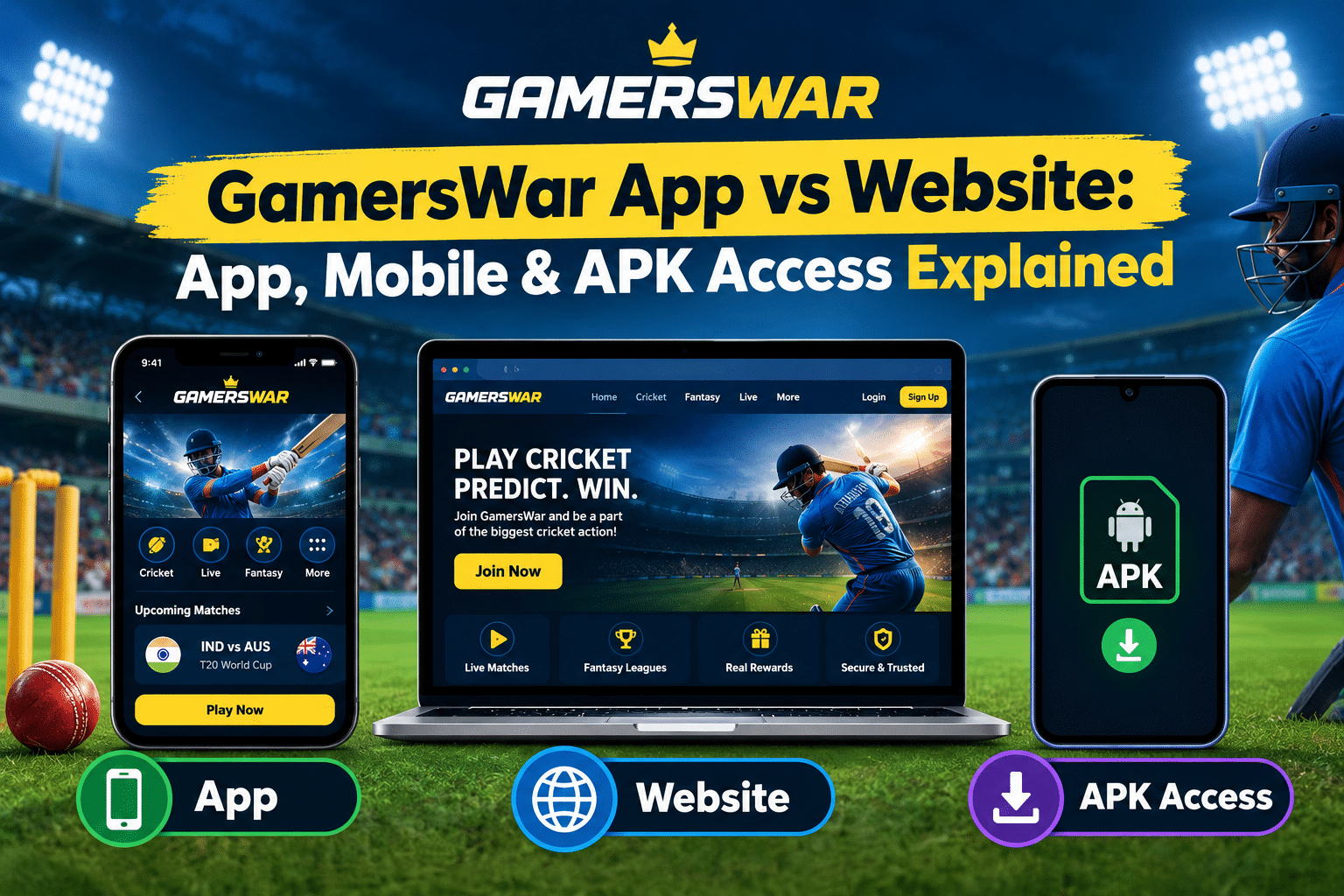
When people search for a gamerswar app, they are often trying to answer a fairly simple question: should they use an app, open the GamersWar website in their mobile browser, or look for a gamerswar apk?
The confusion is understandable because mobile gaming and betting services can provide several ways to access an account. Some users prefer installing an application, while others would rather open a website without putting another app on their phone. There can also be searched for terms such as gamerswar mobile, gamerswar website, or GamersWar APK download, each suggesting a slightly different expectation.
GamersWar’s current website describes its platform as mobile-optimized and lists dedicated resources for Gamerswar app download, Gamerswar apk download, Gamerswar Login, and Gamerswar Mobile App.
The important point is that these access options should not automatically be treated as identical. An app, a mobile website, and an APK can differ in installation method, update process, permissions, and security considerations.
This guide explains those differences so you can understand what each option means and what to check before accessing an online gaming or betting service.
What Is the GamersWar App?
The term gamerswar app generally refers to accessing the GamersWar service through a mobile application rather than simply opening the service in a browser.
A dedicated application can be convenient because its interface is designed around mobile screens and may provide a more app-like experience. Instead of opening a browser, entering the website address, and navigating from there, the user can access the service through an installed application.
However, the existence of an app should not automatically be interpreted as proof that it is safer or better than the website.
The important questions are:
- Where did the application come from?
- Is the download source genuine?
- What permissions does it request?
- How is the application updated?
- Does the app connect to the same service as the website?
- Is the application compatible with your device?
Those questions matter particularly when an Android APK is involved.
An application should be evaluated based on its source, functionality, permissions, update process, and compatibility rather than simply by the name displayed on the download page.
GamersWar App vs Website: What Is the Difference?
At a basic level, both options can provide access to an online service, but the way you reach that service is different.
| Feature | GamersWar App | GamersWar Website | GamersWar APK |
| Installation | Usually required | Not required | Manual Android installation may be required |
| Access | Through an installed application | Through a browser | Through an installed APK |
| Updates | Usually handled through an app distribution or update process | Website changes occur server-side | May require downloading a newer APK |
| Storage | Uses device storage | Minimal local installation | Uses device storage |
| Convenience | Useful for frequent mobile access | Easy for occasional access | Can be convenient where officially supported |
| Security consideration | Verify app source | Verify website domain | Verify APK source particularly carefully |
| Device compatibility | Depends on app support | Generally broad browser support | Primarily associated with Android |
| Best suited to | Frequent mobile users | Users who prefer browser access | Users with a legitimate, supported APK |
The exact features of any GamersWar application can change over time. Users should therefore check the current official information rather than relying on an old APK, third-party download page, or social-media post.
Is the GamersWar Website Different From the App?
The gamerswar website is accessed through a web browser such as Chrome, Safari, Firefox, or another supported browser.
This means there is no need to install a separate application simply to open the website.
GamersWar’s current homepage states that its platform is optimized for mobile devices and specifically describes a mobile experience designed to work on 4G networks.
For someone who mainly wants convenient mobile access, a responsive website can therefore be a practical alternative to installing an application.
The website also currently contains dedicated navigation entries for Gamerswar Login, Gamerswar app download, Gamerswar apk download, and GamersWar Mobile App, indicating that the site treats these as separate access-related resources.
A browser-based experience can also be useful for people who switch between devices. Instead of keeping an application installed on every phone or tablet, users can potentially access a supported website through the browser.
How Does GamersWar Mobile Access Work?
Gamerswar mobile does not necessarily mean that an application has to be installed.
There are two broad forms of mobile access.
Mobile Browser Access
You open the GamersWar website through your phone’s browser.
This approach has several advantages:
- No separate application installation
- No APK file required
- Easy to switch between browser tabs
- Website updates appear without manually downloading a new application
- Less concern about unknown third-party APK files
For users who do not need a dedicated app, mobile-browser access can be simpler.
A mobile browser can also be useful when someone wants temporary or occasional access without committing device storage to another application.
Mobile App Access
With an application, the service is accessed through an installed program.
This may provide a more dedicated interface, but the user also needs to consider installation, permissions, updates, and the source of the application.
The distinction is important:
Mobile access describes the device experience, while an app describes the software used to access the service.
This means someone can have a mobile experience without necessarily downloading a mobile application.
What Is a GamersWar APK?
An APK is an Android Package Kit, the file format used to install applications on Android devices.
Therefore, when someone searches for gamerswar apk, they are generally looking for an Android installation package rather than a normal website address.
APK installation can be useful in some circumstances, but it requires more caution than simply visiting a website or installing an application through an established app marketplace.
The biggest issue is source verification.
An APK file hosted on an unknown website can potentially be modified, outdated, or bundled with unwanted software. A page using the GamersWar name is not automatically an official GamersWar resource.
That is why users should verify the source before installing any APK.
It is also important to understand that the word APK describes a file format, not a guarantee of authenticity. An APK with the correct brand name can still come from an unrelated source.
Should You Download a GamersWar APK From a Third-Party Website?
It is better not to assume that a third-party APK is genuine simply because its filename or website uses the GamersWar name.
Before installing an APK, check:
- Whether the download is linked from the service’s current official website.
- Whether the domain is exactly what you expect.
- Whether the page provides clear information about the application.
- Whether the file appears to be current.
- Whether the application requests unusually broad permissions.
- Whether the download source is trying to pressure you into disabling security protections.
If the source cannot be verified, using the website through a browser may be the more cautious option.
Users should also avoid downloading files simply because a message, advertisement, forum post, or social-media account claims that a particular APK is the “latest” version.
A User Shared His Experience With GamersWar App, Website and APK Access
I was having coffee with an acquaintance when we started discussing how people use online platforms to follow cricket and other sports. The conversation eventually moved toward mobile gaming platforms, and he mentioned that he had been using GamersWar through different access methods.
I was curious because I had noticed that people often search separately for the GamersWar app, GamersWar website and GamersWar APK, even though they are all connected with accessing the same type of service. So I asked him what his actual experience had been and which option he found most useful.
He laughed and said that he had been confused about exactly the same thing when he first started.
“When I first heard about the GamersWar app, I thought downloading an app was the only way to use it on my phone,” he told me. “Then I realised I could also access the platform through my browser.”
His first experience was therefore with the website. He opened it through his mobile browser and found that he could access the platform without installing anything. For him, this turned out to be a useful starting point because he did not have to worry about finding an installation file or giving an additional application permission on his phone.
He said the website worked particularly well for the way he used the platform. He could open it when needed, log in and close the browser when he was finished.
That experience taught him something he had not considered before: mobile access does not automatically mean mobile app access. A mobile-optimised website can also provide a convenient experience without requiring an installation.
After using the website for some time, however, he became interested in the dedicated app. He told me that the idea appealed to him because he used his phone frequently and liked the convenience of having services he regularly accessed available from one place.
This time, though, he did not simply download the first application he found.
He remembered seeing several pages offering what appeared to be GamersWar APK files. Instead of immediately installing one, he decided to check where the file came from.
“That was probably the most useful thing I did,” he said. “I realised that just because a file has the right name doesn’t mean it’s automatically the genuine application.”
He explained that an APK is simply an Android installation file. The format itself does not prove that the file is official. This made him more careful about checking the source, the website domain and the information provided before installing anything.
He also started paying attention to application permissions. If an app requested access that did not seem relevant to its purpose, he would stop and investigate rather than simply accepting everything.
Interestingly, his experience did not make him completely reject the app. Instead, it helped him understand when an app was actually useful for him and when the website was the better option.
For quick or occasional access, he preferred the website because there was nothing to install. When he wanted a more dedicated mobile experience, he considered using the official application where its source could be verified.
He also learned that GamersWar login, GamersWar app and GamersWar website are not necessarily three different accounts. The login is the account-access process, while the app or website can simply be different ways of reaching the service.
By the end of our conversation, I asked him what advice he would give to someone searching for GamersWar for the first time.
His answer was straightforward.
“Don’t choose an app just because someone tells you it’s faster. First check where it comes from. If the website already gives you everything you need, there is nothing wrong with using that. If you want an app, make sure you’re getting it from a source you can actually verify.”
What I found most useful about his experience was that he did not consider one access method universally better than another. He simply matched the option to his needs.
The website gave him simplicity. The app offered a more dedicated mobile experience. The APK search taught him to be more careful about download sources.
For him, the biggest benefit was not simply finding a convenient way to access GamersWar. It was learning how to evaluate the different options before using them.
And perhaps that was the most practical lesson from our conversation: the best access method is not necessarily the one with the most features. It is the one that fits your usage while coming from a source you can verify and trust.
GamersWar App vs Website: Which Is Easier?
The answer depends largely on how you use the service.
A person who visits occasionally may prefer the website because there is nothing to install.
Someone who accesses the service frequently may prefer an application if a legitimate, current app is officially supported and provides a better interface.
| User preference | More suitable option |
| Does not want to install software | Website |
| Uses different devices | Website |
| Wants a dedicated mobile interface | Official app, if available |
| Frequently accesses the service | App or mobile website |
| Is considering an APK from an unknown source | Avoid the unknown APK |
| Wants the simplest setup | Website |
There is no universal winner. Convenience should be balanced with source verification and device security.
The most practical choice depends on the user’s device, browsing habits, frequency of access, and ability to verify the source of the software.
What Should You Check Before Installing the GamersWar App?
Before installing any application carrying the GamersWar name, take a few minutes to verify its origin.
Check the Download Source
Start from the current GamersWar website rather than a random search result.
The website currently lists Gamerswar app download and Gamerswar apk download as separate resources in its navigation.
That does not mean every page elsewhere using the same name is genuine.
A trusted starting point should provide enough information for users to understand what they are downloading and where the application originated.
Check the Domain
Look carefully at the domain before downloading anything.
Scammers commonly create websites with names that look almost identical to legitimate services. A single extra word, character, hyphen, or different domain extension can make a major difference.
Before entering login details, compare the domain carefully and avoid unfamiliar variations.
Check App Permissions
If an application requests access to functions unrelated to what it needs to operate, consider why those permissions are necessary.
Avoid granting sensitive permissions automatically.
Review permissions before installation and again after installation when your device provides that option.
Check for Updates
An old application can create compatibility and security problems.
If an official application is available, use the current source recommended by the service rather than relying on an APK saved on your phone months earlier.
Old installation files may no longer reflect the current application version.
Can You Use GamersWar Without Installing an App?
If the website provides the functionality you need through a mobile browser, an app installation may not be necessary.
GamersWar currently describes its platform as mobile-optimized, meaning the website is intended to work across mobile devices rather than requiring users to rely exclusively on a native application.
This is one of the main reasons the website-versus-app comparison is useful.
An application is not automatically required simply because the search term contains the word “app.”
If your objective is simply to access the service, first determine whether the mobile website already provides the required functionality.
For users who value simplicity, browser access can remove the need to search for an installation file and can make it easier to avoid unofficial APK sources.
What About GamersWar Login?
The login process is another reason users search for Gamerswar login separately from the app.
A login is an account-access function; an app or website is the method used to reach that function.
In practical terms, the same account could potentially be accessed through a supported website or application if both are connected to the same service.
Before entering login credentials, always verify the domain or application source.
Never enter your password into a page reached through an unfamiliar link simply because it contains the GamersWar name.
Users should also avoid sharing passwords, OTPs, PINs, or banking credentials with people who claim to provide installation or technical support.
Common Mistakes When Looking for the GamersWar App
Mistake 1: Downloading the First APK Found on Google
Search results can contain third-party pages, outdated files, clones, and unofficial downloads.
The highest-ranking result is not automatically the safest download source.
Always evaluate the source before installing software.
Mistake 2: Assuming APK Means Official
APK describes a file format.
It does not certify who created or uploaded the file.
Anyone can distribute an APK file under a familiar name.
Mistake 3: Ignoring the Website
Some users immediately search for an APK without checking whether the official website already provides mobile access.
Starting with the website gives you an opportunity to understand the available options first.
Mistake 4: Saving Old Installation Files
Keeping an old APK and reinstalling it months later can result in an outdated application.
Always verify that the version and source are current before installing software.
Mistake 5: Sharing Login Information With “App Support”
A person claiming to help install an application should not need your password, OTP, PIN, or banking credentials.
Installation assistance and account-security credentials are two different things.
How to Choose Between the GamersWar App, Website and APK?
A simple decision process can make the choice easier.
Choose the Website If:
You want the simplest access method and do not want to install additional software.
The browser option is also useful if you regularly change devices.
Consider the Official App If:
A current application is explicitly provided or recommended through a verified GamersWar source and you prefer having a dedicated mobile interface.
Always verify that the application comes from a source you can trust before entering account information.
Be More Careful With an APK If:
The file comes from a third-party website, social-media message, Telegram channel, or unknown person.
In that situation, the first question should not be “How quickly can I install it?” but “Can I verify where this file came from?”
How GamersWar’s Current Website Fits Into the Access Options?
The GamersWar homepage presents itself primarily as an online cricket betting ID provider and says that its platform supports cricket, football, tennis, casino games, and other gaming categories. It also highlights mobile optimization as part of its platform experience.
Its navigation currently contains a broad set of supporting resources, including Online Cricket ID, Cricket ID, Cricket ID Provider, Gamerswar Cricket ID, Best Cricket ID Provider, Gamerswar Betting Site, Gamerswar App Download, Gamerswar Login, Gamerswar APK Download, Gamerswar Sign Up Guide, Gamerswar Mobile App, Gamerswar Betting Exchange, Cricket ID Login, Gamerswar Sports Exchange, and Gamerswar Trusted ID Provider.
That structure is useful for readers because the access question can be separated from other account and service questions rather than treating the app as the entire service.
Security Checklist Before Using Any GamersWar Access Method
Before using the gamerswar app, gamerswar website, or gamerswar apk, review this checklist:
- Confirm the website domain before logging in.
- Prefer an official source for any application download.
- Avoid unknown APK websites.
- Check application permissions before installation.
- Keep your device and browser updated.
- Never share passwords or OTPs with support agents.
- Be cautious with links received through unsolicited messages.
- Read the service’s current terms and privacy information.
- Check the legal restrictions that apply to online betting in your location.
- Remember that account access does not remove the financial risks associated with gambling.
Security should remain a priority regardless of which access method you choose.
About GamersWar app
What is the GamersWar app?
The GamersWar app refers to application-based mobile access to the GamersWar service. GamersWar’s website currently provides separate resources relating to its app download and mobile app options.
Is GamersWar available on mobile?
GamersWar’s website states that its platform is optimized for mobile use and describes performance on 4G networks.
What is the difference between GamersWar app and website?
The app requires an installed application, while the website can be accessed through a browser. The website does not require an APK installation, making it a simpler option for users who prefer browser access.
What is a GamersWar APK?
A GamersWar APK would be an Android application installation package associated with the GamersWar service. APK is simply the Android package format and does not, by itself, prove that a file is official.
Is it safe to download a GamersWar APK from any website?
No. An APK should only be installed after its source has been verified. Unknown third-party APK sites can distribute modified, outdated, or potentially harmful files.
Can I use GamersWar without downloading the app?
If the functionality you need is available through the mobile website, you can use a browser instead of installing an application. GamersWar currently describes its website as mobile-optimized.
Which is better: GamersWar app or website?
Neither option is universally better. The website is simpler for users who do not want an installation, while an official app may be more convenient for frequent mobile users.
Why do people search for GamersWar APK?
Android users sometimes search for an APK when they want to install an application outside a conventional app store. However, the source of the APK should be verified before installation.
How do I access GamersWar on my phone?
You can start by visiting the GamersWar website through a mobile browser. If you are considering an application, verify the current official app or APK information before installing anything.
What should I do if a GamersWar app asks for unusual permissions?
Do not automatically approve the request. Check what permissions are being requested and whether they are necessary for the application’s stated function. If the source cannot be verified, avoid installing the application.
Is the GamersWar website mobile-friendly?
The current GamersWar homepage describes the platform as mobile-optimized and designed for low-latency use on 4G networks.
Can I use the same login through the app and website?
That depends on how the current application and website are configured. Users should follow the service’s current login instructions rather than assuming that every application using the GamersWar name connects to the same account system.
Conclusion
Searching for gamerswar app does not necessarily mean that installing an application is the only way to access the service.
The GamersWar website, mobile browser experience, dedicated application, and gamerswar apk represent different access methods, each with its own practical considerations.
For many users, the website is the simplest starting point because it requires no separate installation. A legitimate application may be convenient for frequent mobile use, but the source of the app matters. An APK deserves additional caution because Android installation files can be distributed outside conventional app stores.
The most important rule is simple: verify the source before you install or log in.
Do not choose an access method solely because it promises faster installation or a more attractive interface. Check the domain, application source, permissions, update process, and account-security requirements first.
GamersWar’s current website provides dedicated resources for app downloads, APK downloads, login, mobile access, cricket IDs, betting exchanges, and related services, so users can review the available information before deciding how they want to access the service.
Finally, online betting carries financial and legal risks. Access to a mobile application or website does not change those risks, so users should understand the applicable laws and the platform’s current terms before participating.
The experience shared earlier reinforces the same point. The website can provide simplicity, an official app can provide a dedicated mobile experience when legitimately available, and an APK requires additional attention to its source.
The right approach is therefore not simply to choose the fastest option. It is to choose an access method that fits your needs while taking reasonable steps to verify its authenticity and protect your account and device.